English version available here
Relive the unique feeling of retro consoles: insert a card into your Recalbox to launch the game of your choice!
The Card Reader and RecalCards transform your Recalbox into a real cartridge console, easy to use and fully plug and play.
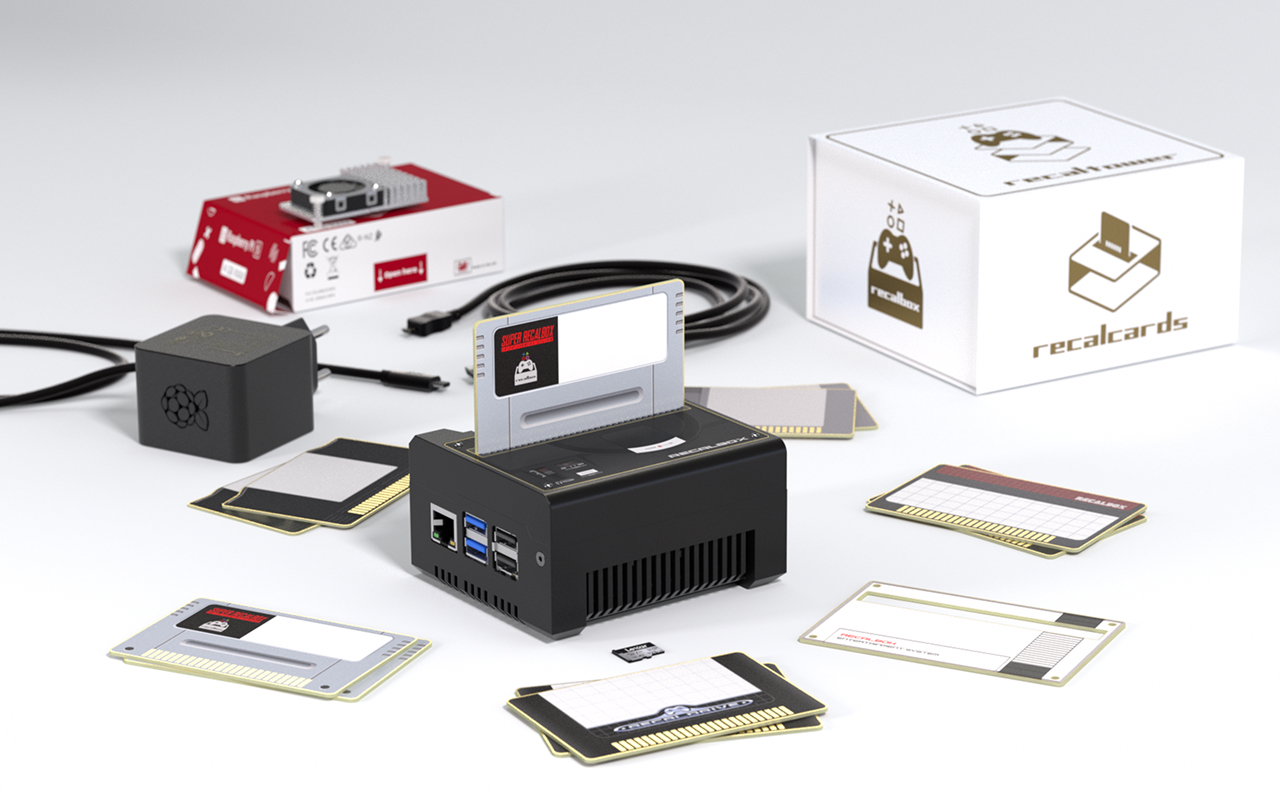
¶ Installation
Recalbox 10 will be needed for the functioning of the Card Reader.
Proceed with the installation of Recalbox 10 for Raspberry Pi 5 using the following link:
https://www.recalbox.com/download/stable/rpi/rpi5_64/
¶ Use
The Card Reader will allow you to:
- When your Recalbox is turned on:
- Launch a game when you insert a card into the reader.
- Exit the game when you remove the card.
- When you turn on your Recalbox:
- The associated game will automatically launch if a card is inserted and controllers are detected (can be disabled, see FAQ).
- Switch to “console mode” to have a similar experience to a real console, where only cards can launch games.
¶ Associating a game with a card
When you insert a card for the first time, a popup will appear explaining that you need to associate the card with one of your games in Recalbox.
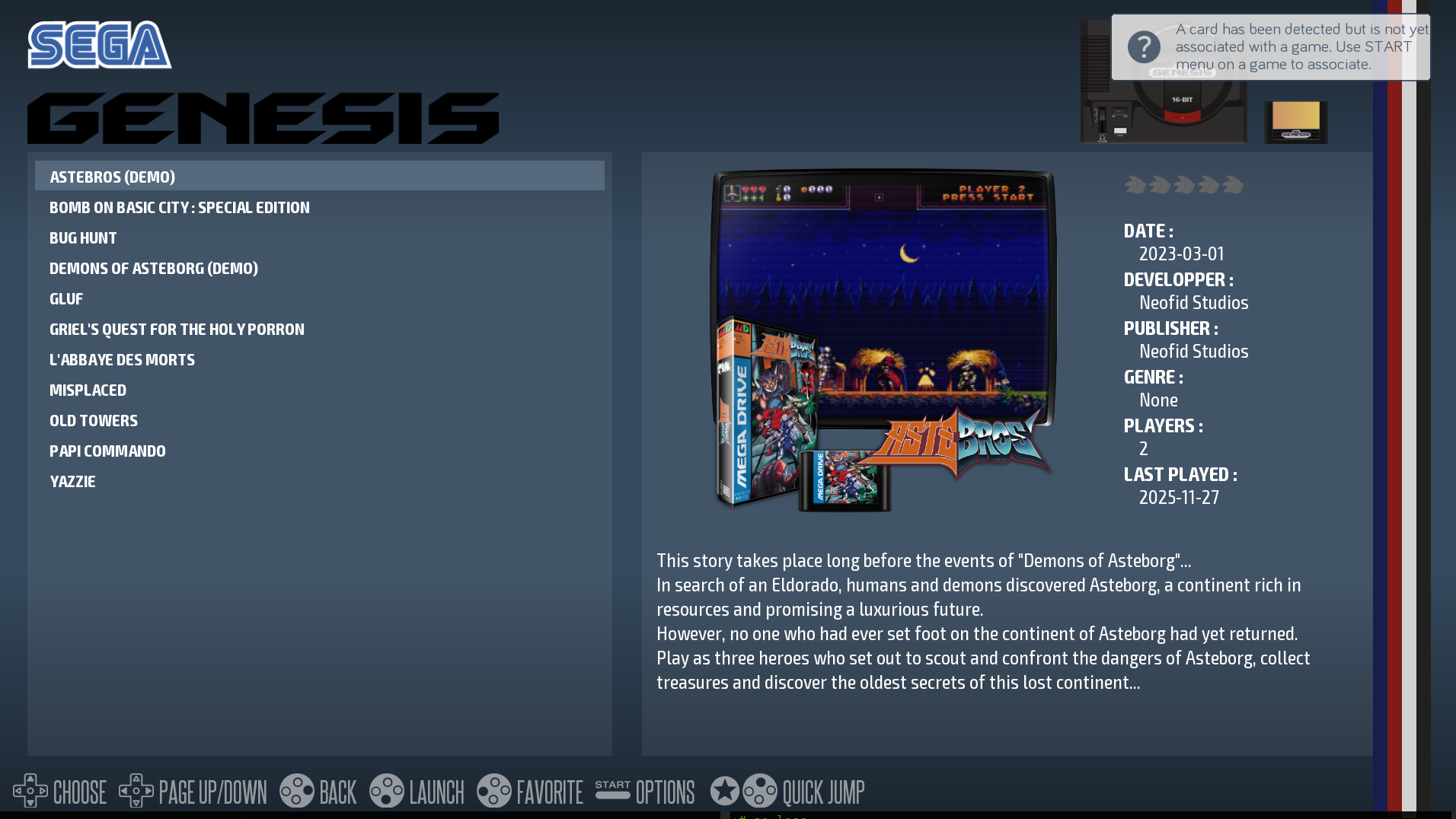
From the Recalbox menu, press START on a game to associate it with a card.
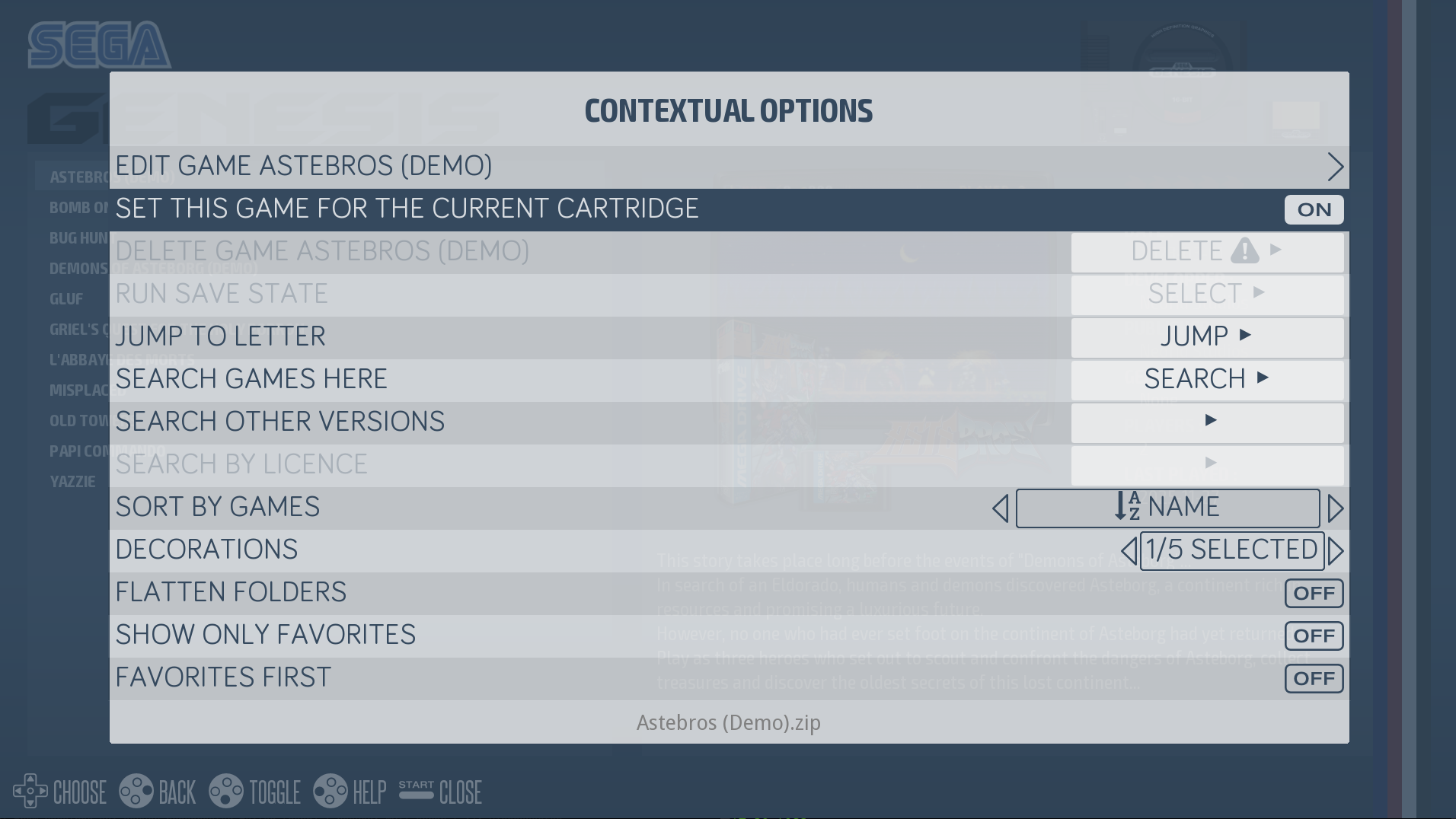
You can associate two games per card, one for the front and one for the back.
If you want to change the game associated with a card, simply insert the card into the reader, exit the game with the controller (HOTKEY + START), and associate a new one with the START menu.
¶ Installation in a RecalTower
If you ordered your Card Reader as an add-on, you already have your RecalTower.
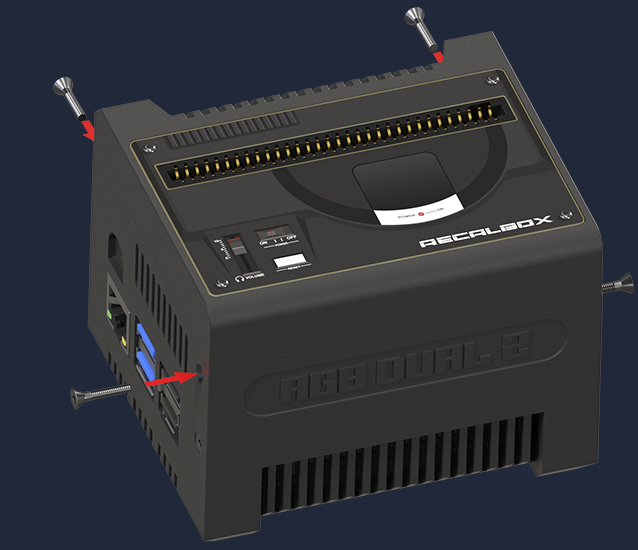
To mount your Card Reader floor on your RecalTower, simply:
-Place the 4 nuts in the slots provided for this purpose.

-Stack the Card Reader floor onto your RecalTower and use the countersunk screws provided to secure everything in place.
Version without RGB DUAL 2:
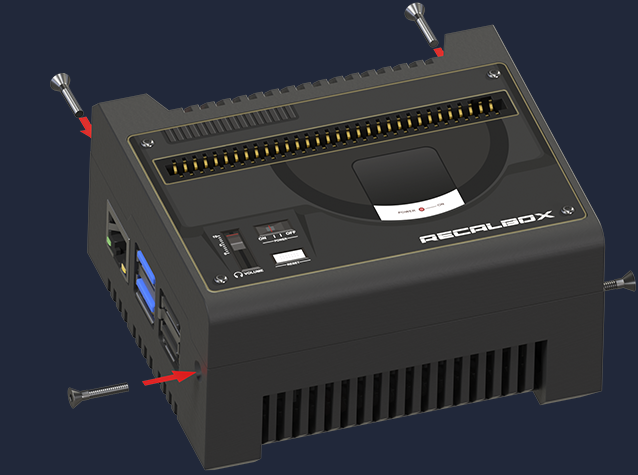
Version with RGB DUAL 2:
Start Recalbox, and the system will automatically detect and install the Card Reader!
¶ Console mode
With Recalbox, you can enable Console mode in the RecalCards options. This mode allows you to activate a home screen, instead of the usual Recalbox menu, where you can run only the games linked to your RecalCards.
To enable Console mode on your Recalbox, access the Recalbox menu by pressing START, then go to “RecalCards settings”
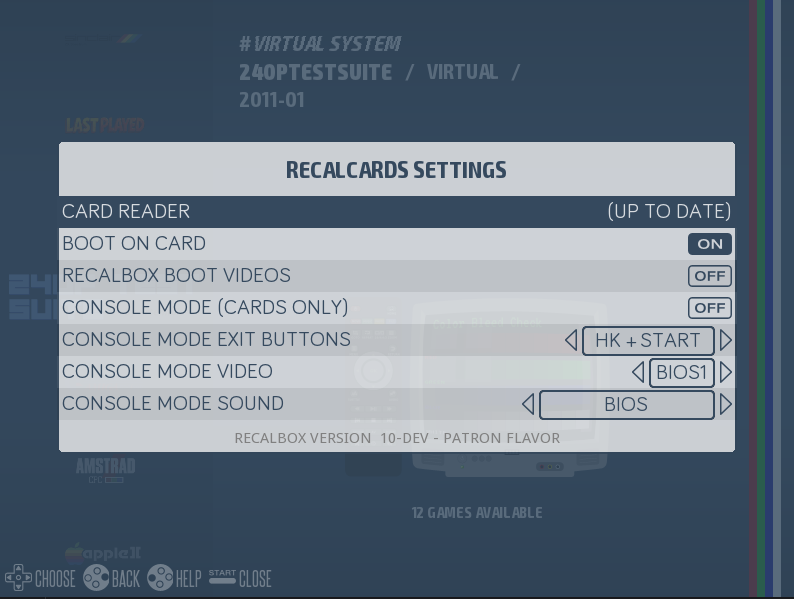
Into this menu, you can:
- Enable/disable Console mode
- Enable/disable launching a game linked to a connected RecalCard after turning on your Recalbox
- Set a shortcut to exit Console mode and return to the Recalbox menu (you can choose between the combination
HOTKEY + STARTor holding down theSTARTbutton for 5 seconds) - Set the background music for Console mode (Console mode music or Recalbox menu music)
Once Console mode is enabled, restart Recalbox to access it.
Console mode looks like this :
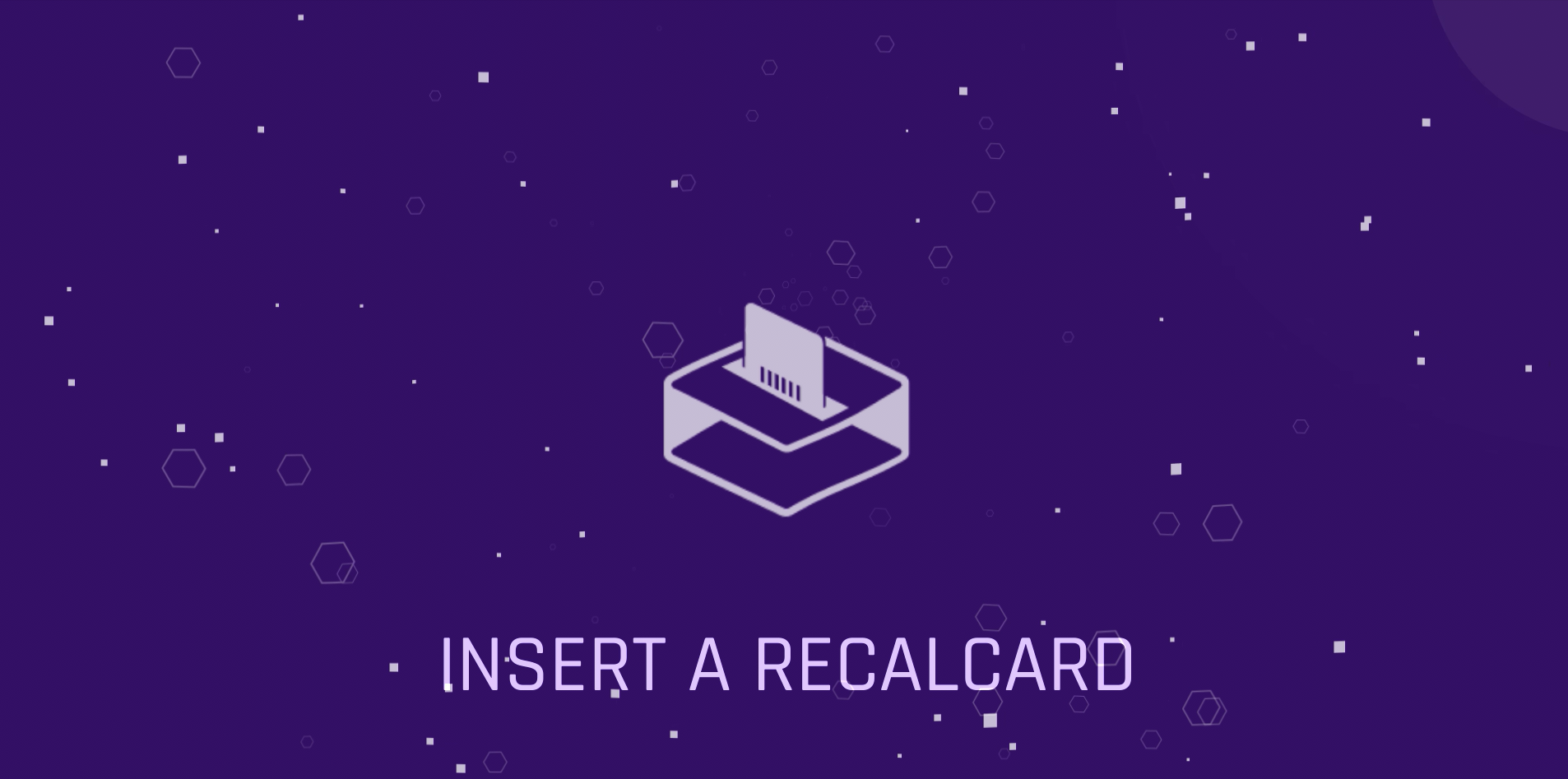
In order for the game to run, at least one controller must be connected to your Recalbox beforehand.
All you have to do is insert a RecalCard and play!
¶ RecalCard cartridge label generator
You received your RecalCards and want to do more than just write the name of the game on the stickers? Want to stick the logos of your favorite games on them?
A label generator is available via the following link: https://recalcards-gen.recalbox.com/
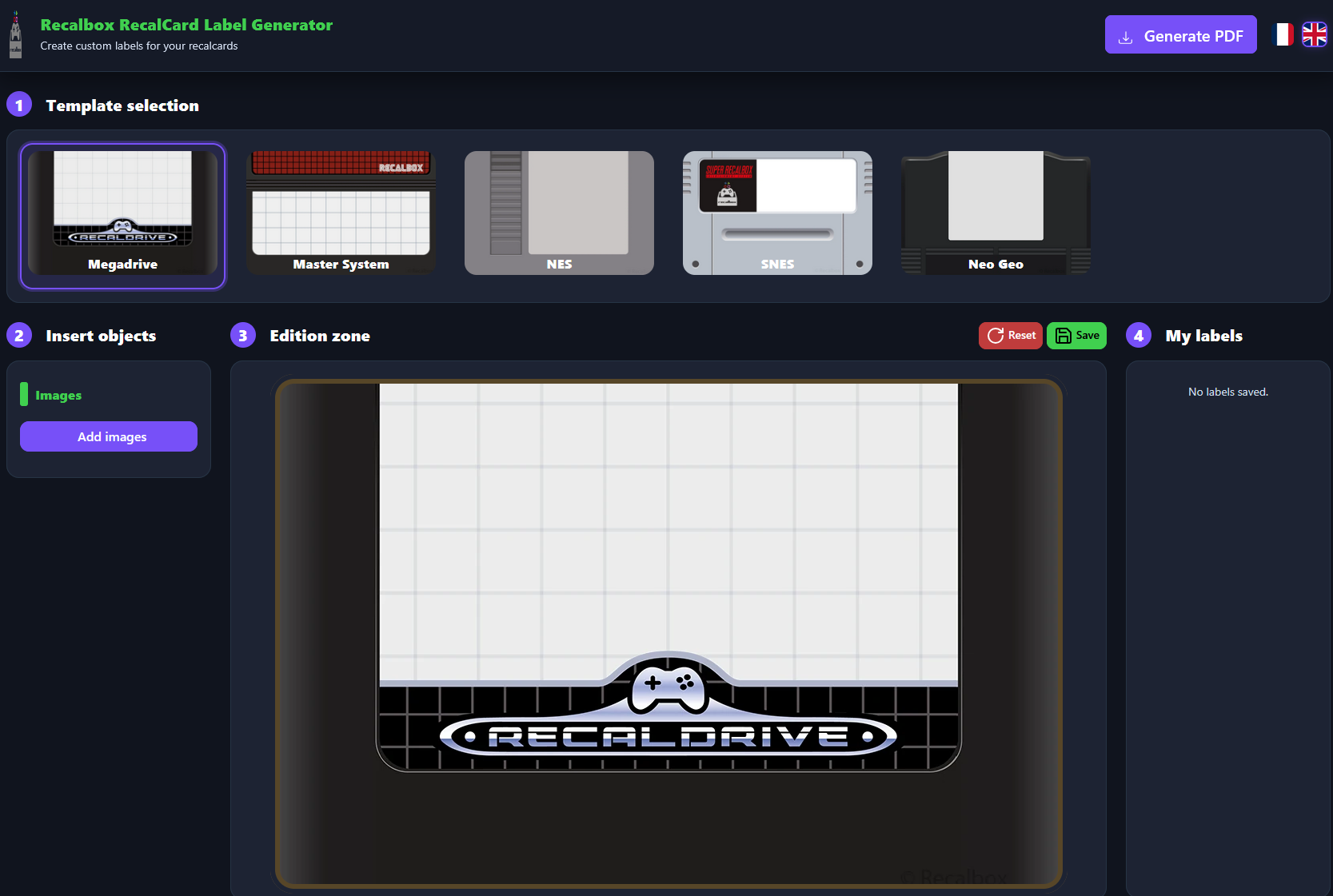
Here are the steps for using it:
- Select the template that corresponds to your RecalCard
- Import an image. List of accepted formats: (jpe, jpg, jpeg, gif, png, bmp, ico, svg, svgz, tif, tiff, ai, drw, pct, psp, xcf, psd, raw, webp, heic)
- Once the image has been imported, adjust it to fit the cartridge template
- Click on the “Generate PDF” button to download the cartridge thumbnail in PDF format. All you have to do then is print it out.
¶ FAQ
For any questions/suggestions, or sharing your custom label designs for your RecalCards, the #card-reader channel is accessible via our Discord server. (Access link).
- Do the cards contain games or ROMs?
- No, the cards simply contain an ID that will be associated with one of your games in Recalbox
- Can I have two of the same card to launch a game?
- Each card has a unique ID displayed on the back of the card (MD 0001, for example). This ID can only be associated with one game, which is why the cards supplied with the Card Reader and the additional cards available for purchase in the store do not have the same IDs.
- Why doesn't the game launch when I start Recalbox?
- If no controller is detected during boot, the game will not launch.
- How do I disable booting on the game associated with the card when my Recalbox starts?
- By disabling the
Allow Boot On Gamefeature in RecalCards settings (START -> RECALCARDS SETTINGS)
- By disabling the