¶ Introduction
To play the original Xbox on an emulator, you need to convert the game. This conversion from an ISO image format transforms its content to keep only what is necessary in XISO format. Here is a tutorial to help you do this.
¶ Procedure
There are online tools available to perform this conversion, such as https://xiso.antangelo.com, but this one does not work on some browsers, such as Mozilla Firefox. Furthermore, according to our internal tests, the image created may not work properly. Here is the procedure for performing this conversion with the Extract-Xiso-Gui software.
¶ Download
First, you will need to download the Extract-Xiso-Gui software. Go to https://github.com/KilLo445/extract-xiso-gui, click on the latest version under “Releases” on the right, and download the corresponding asset (with or without installer). Once completed, unzip the archive to obtain the executable file that will perform this task for you.
¶ Usage
Go to the folder containing everything you extracted, then to the extract-xiso-gui folder, where you will find the extract-xiso.exe application. Once opened, you will see this interface:
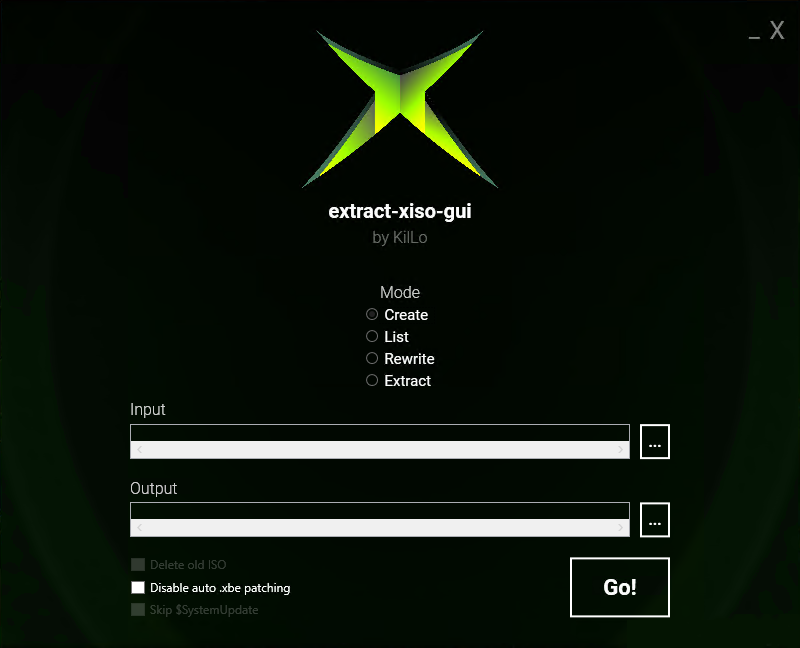
First, you need to extract the file. Select Extract, search for the disk image to convert in the Input section, and select an empty folder in the Output section. Once you've done that, click Go! and let it run until it's finished.
Once the extraction is complete, you need to create the disk image that will work on your Xbox emulator. To do this, still in the software, select Create, specify the folder you chose earlier for extraction in the Input section, and choose where you want to save the game image in the Output section. Once done, click Go!.
Once this is finished, you will have a disk image that can be used in an emulator.