This page describes Recalbox 11.0, available to patrons only, through the
patronchannel. It is up to date with 11.0-patron-3.1.
Recalbox TV is Recalbox's media centre: films, shows, live channels and on-demand video, all in one place, all driven with a controller. It replaces Kodi, which is no longer built in.
It is there on the Raspberry Pi (Zero 2, 3, 4/400, 5/500), on PC, on the Anbernic RG353, the Odroid Go and the Retroid Pocket Nova. Only the RK3326 handhelds, the Anbernic RG35 among them, go without it.
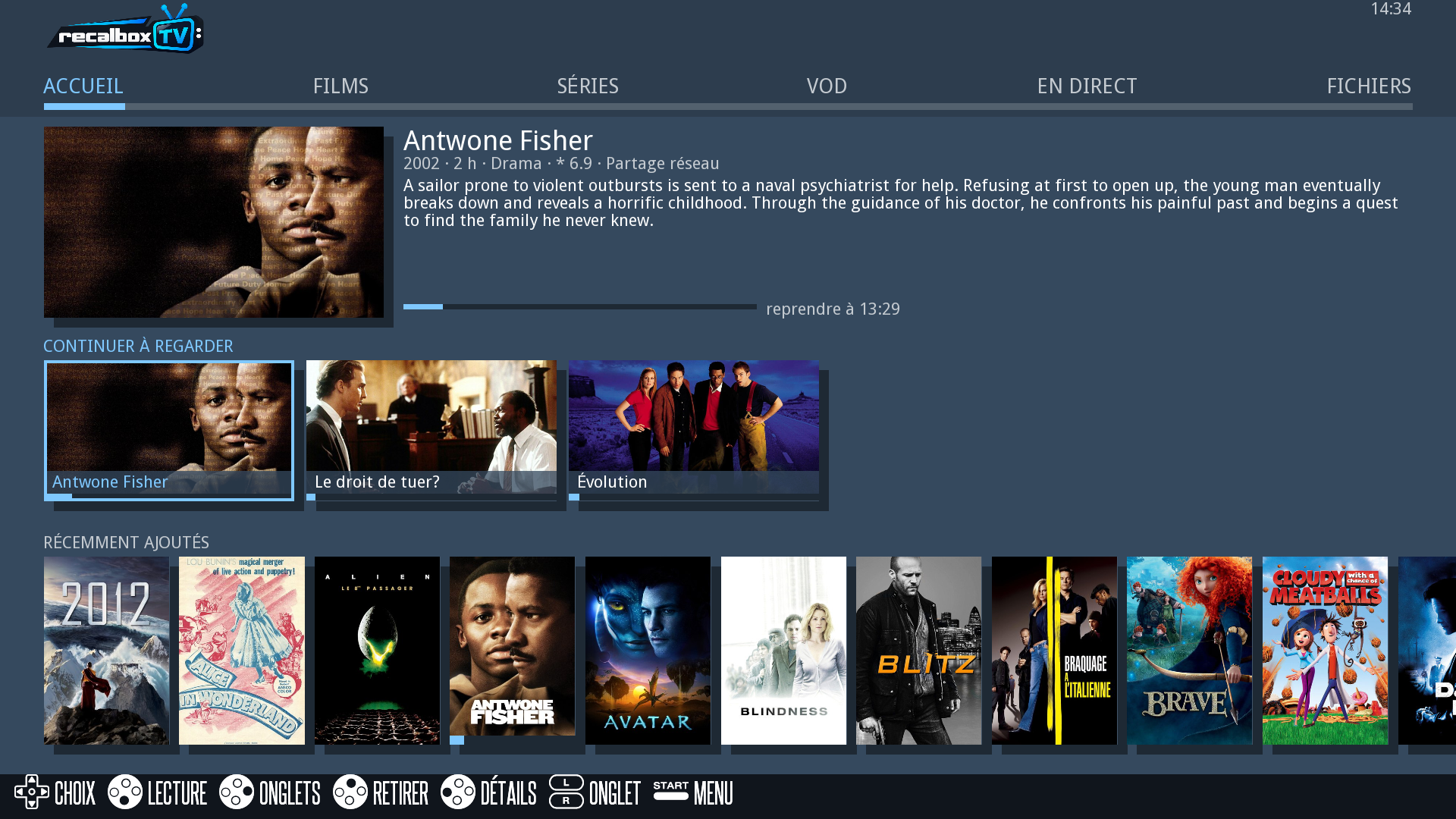
¶ Opening Recalbox TV
Recalbox TV is a system like any other: pick Recalbox TV in the system list and it opens.
It can also open by itself:
- at startup, with the
OPEN RECALBOX TV ON STARTUPsetting; - when the VHS card is in the card reader, at startup or at any other time;
- when a card tied to a video is presented to the reader: that video plays.
Recalbox TV does not replace EmulationStation: it is the same application, and A takes you back to the games (B validates and A goes back, unless you swapped those two buttons in the controller settings).
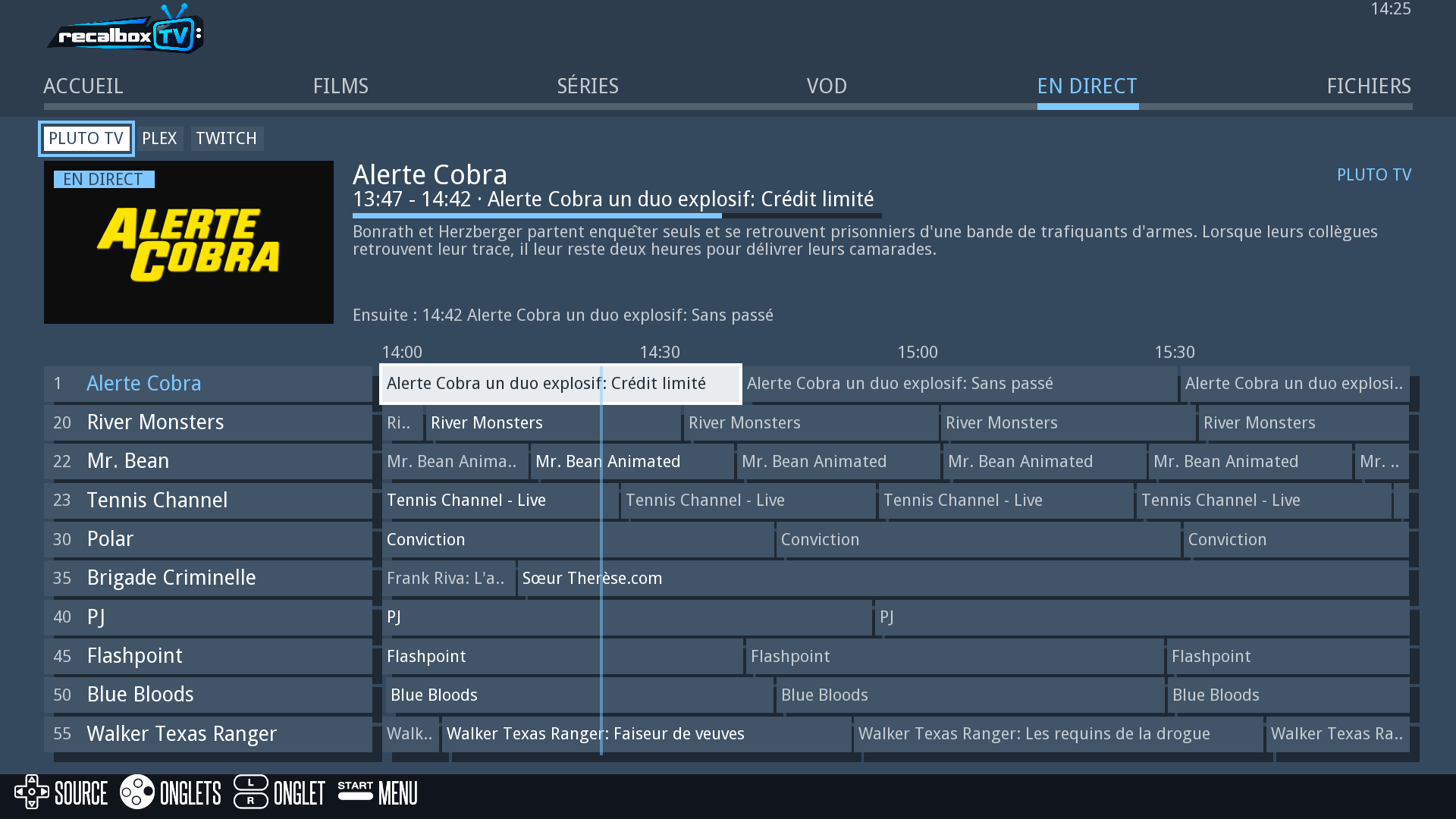
¶ The tabs
| Tab | What it holds |
|---|---|
HOME |
Resume watching, recent additions, suggestions |
MOVIES |
Your film library |
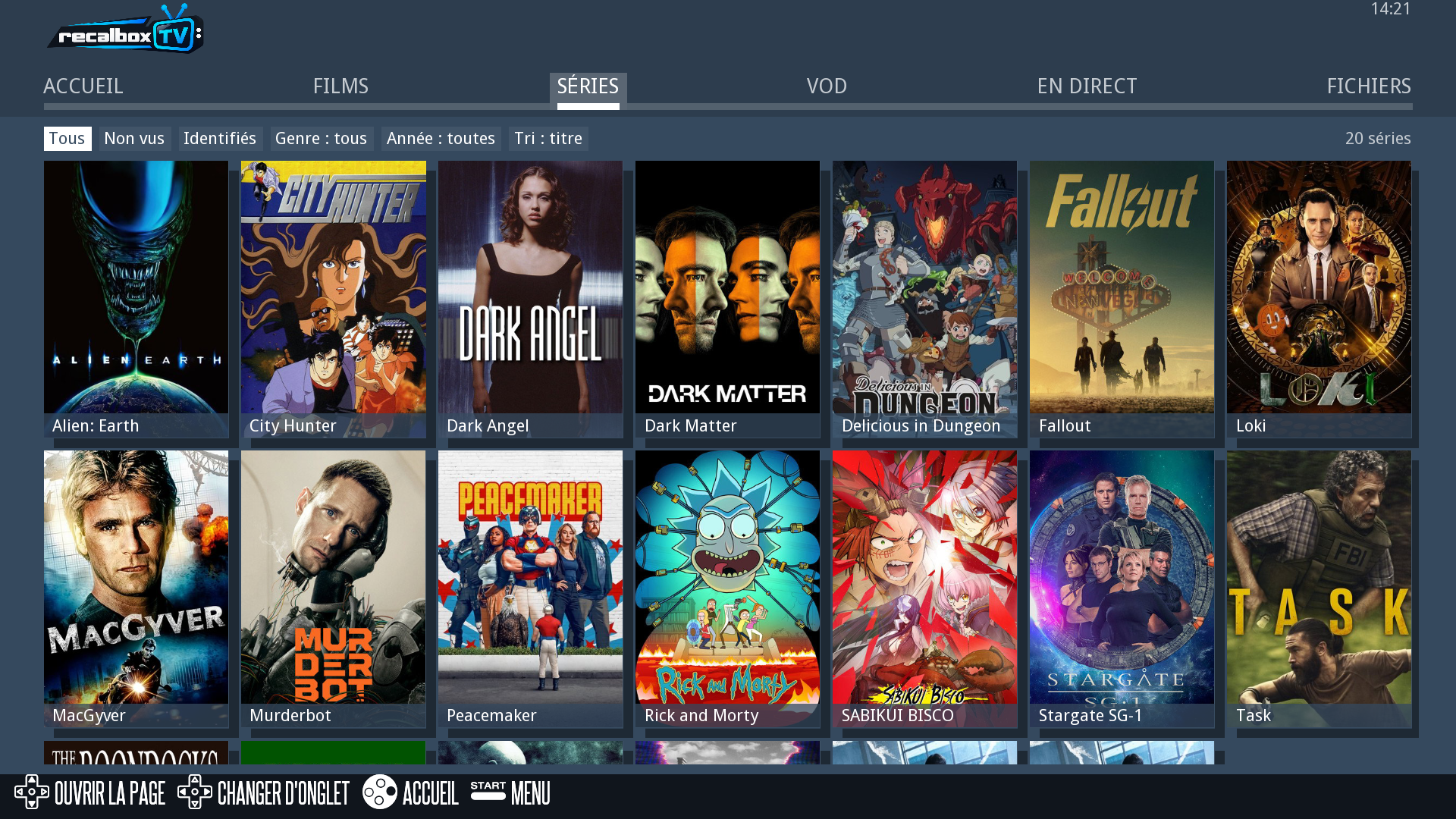
SHOWS |
Your shows, season by season |
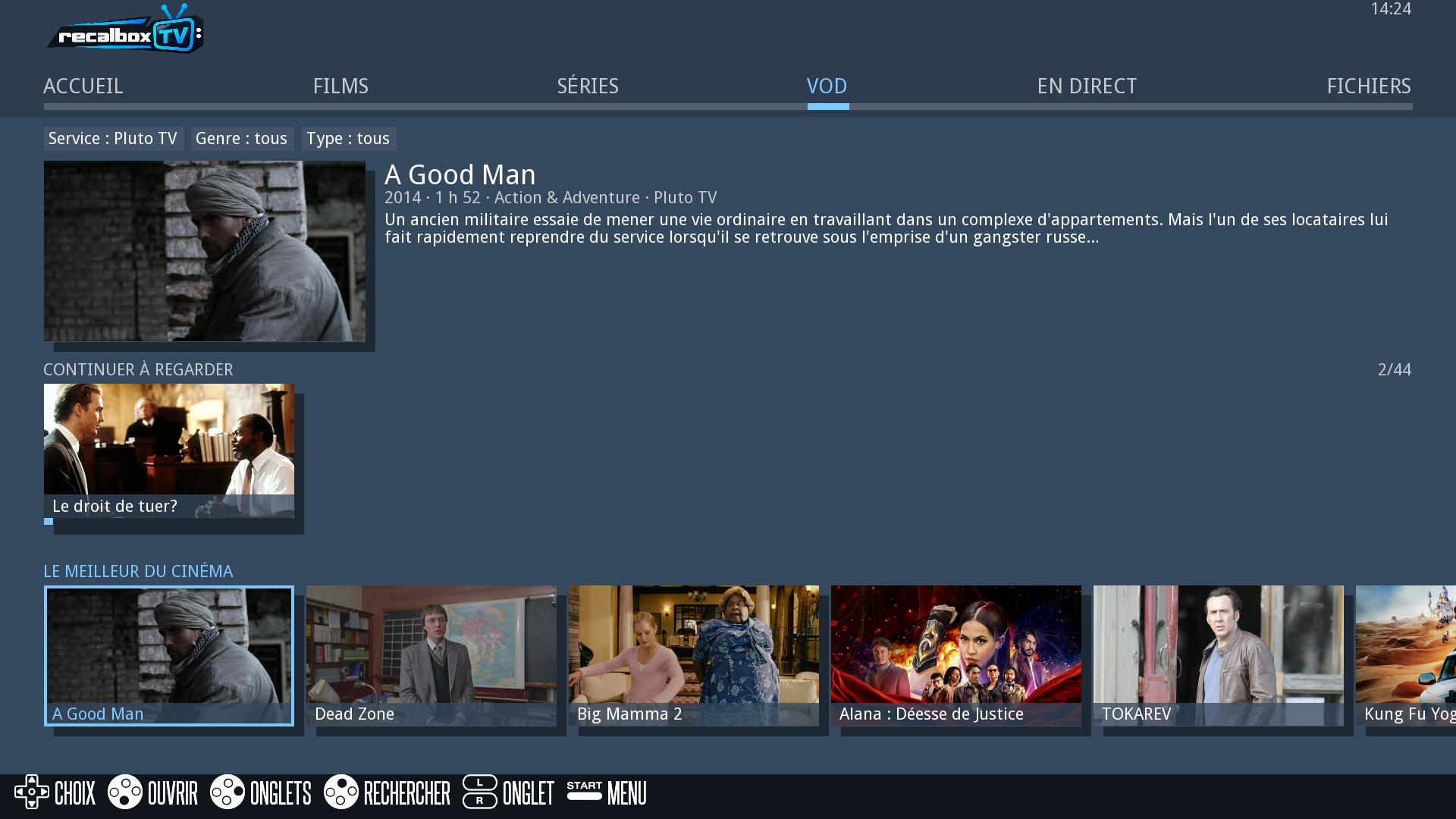
VOD |
On-demand catalogues: Pluto TV, Plex, Crunchyroll, YouTube and the streaming sites you linked |
LIVE TV |
Live channels, source by source: Pluto TV, Plex, your IPTV playlists, Twitch |
FILES |
Your videos as they are, with no library |
The VOD tab only shows when an on-demand service is there — Pluto TV is enough, and it is on from the start.
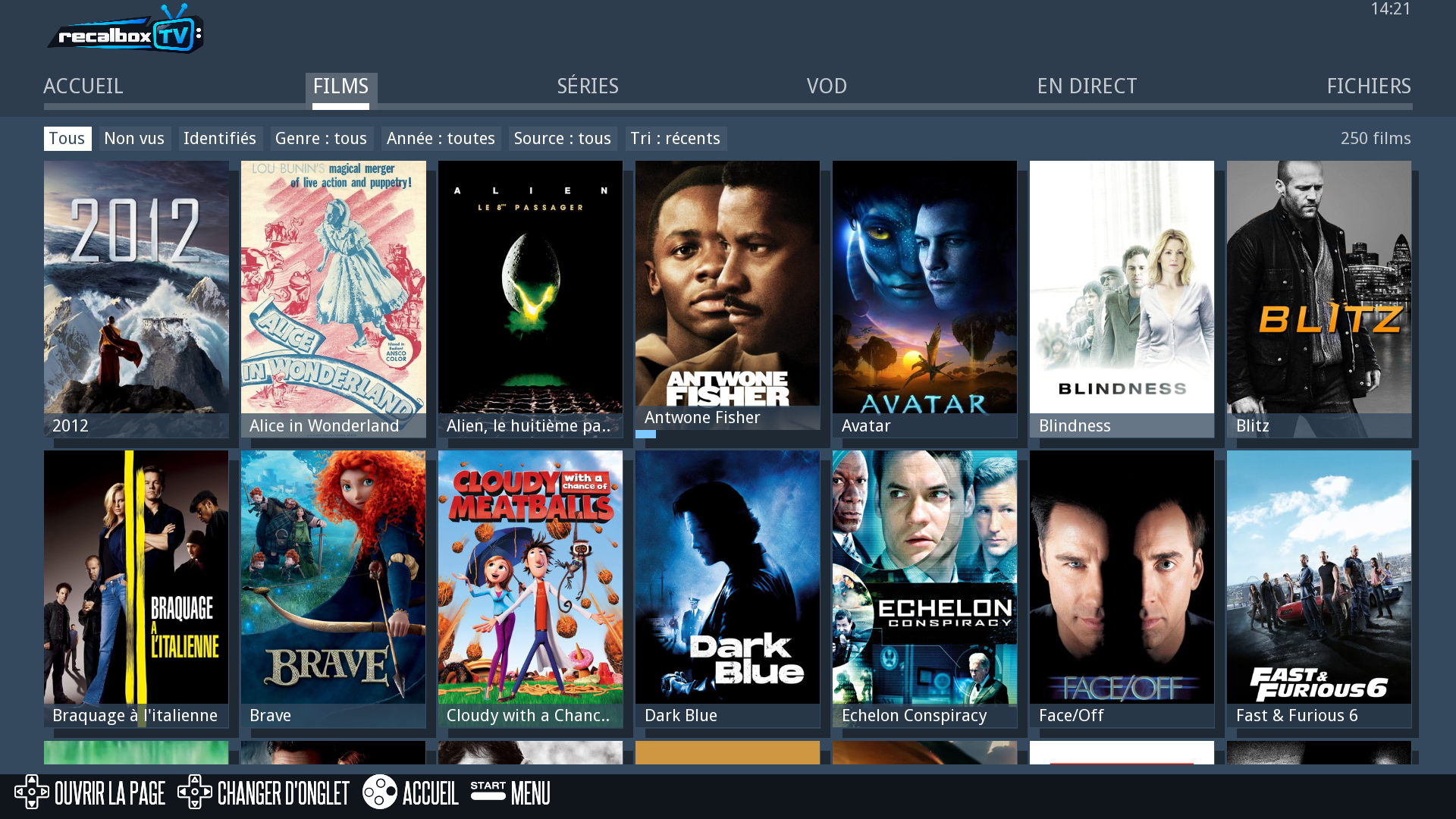
Over the MOVIES and SHOWS grids, a row of filters, reached with Y: All and Unseen, Identified (which Everything found relaxes), Genre: …, Year: … by decade, and Sort: … — recently added, title, year or rating. A Source: … chip joins them when the grid holds more than one source: a library with a single source does not offer it.
¶ Finding your way with a controller
| Button | In the pages |
|---|---|
LEFT / RIGHT |
Change tab |
UP / DOWN |
Enter the page, then move through it |
L / R |
Change tab from anywhere in the page |
Y |
The tab's filters |
L2 / R2 |
Jump to a letter in a grid |
START |
The Recalbox TV menu |
A |
Back: climbs to the tabs, then to the first tab |
¶ Adding a source
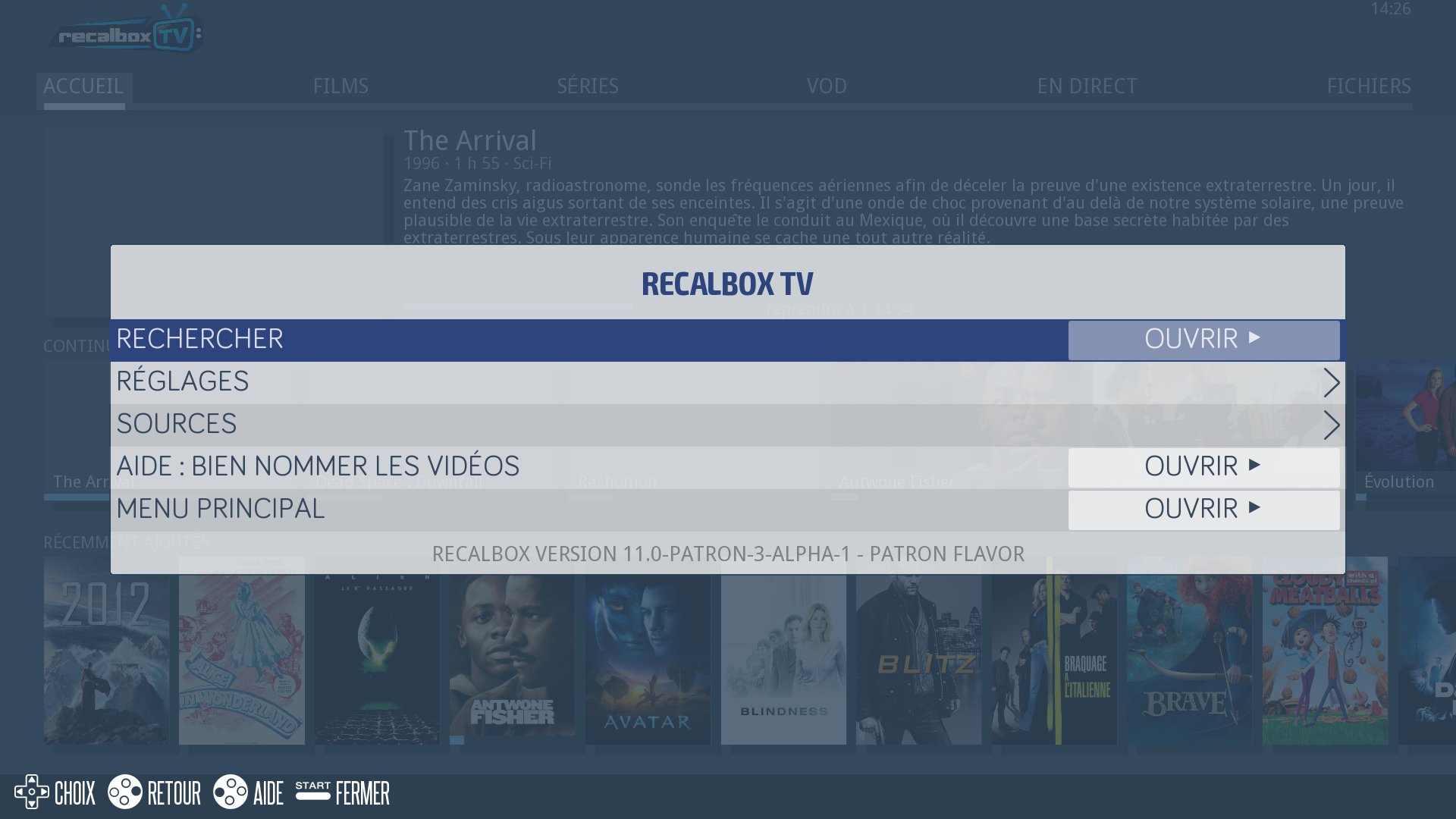
As long as no source is declared, the home page is empty and says so: « Add a source with START > SOURCES: its videos appear here. »
- From Recalbox TV, press
START. - Choose
SOURCES. - Select
ADD A SOURCE.
Recalbox TV looks for shares, media servers, Jellyfin servers and ISP boxes on your network by itself: what it finds shows under FOUND ON THE NETWORK, ready to add, and LOOK AGAIN searches once more. Everything else is declared under ADD MANUALLY.
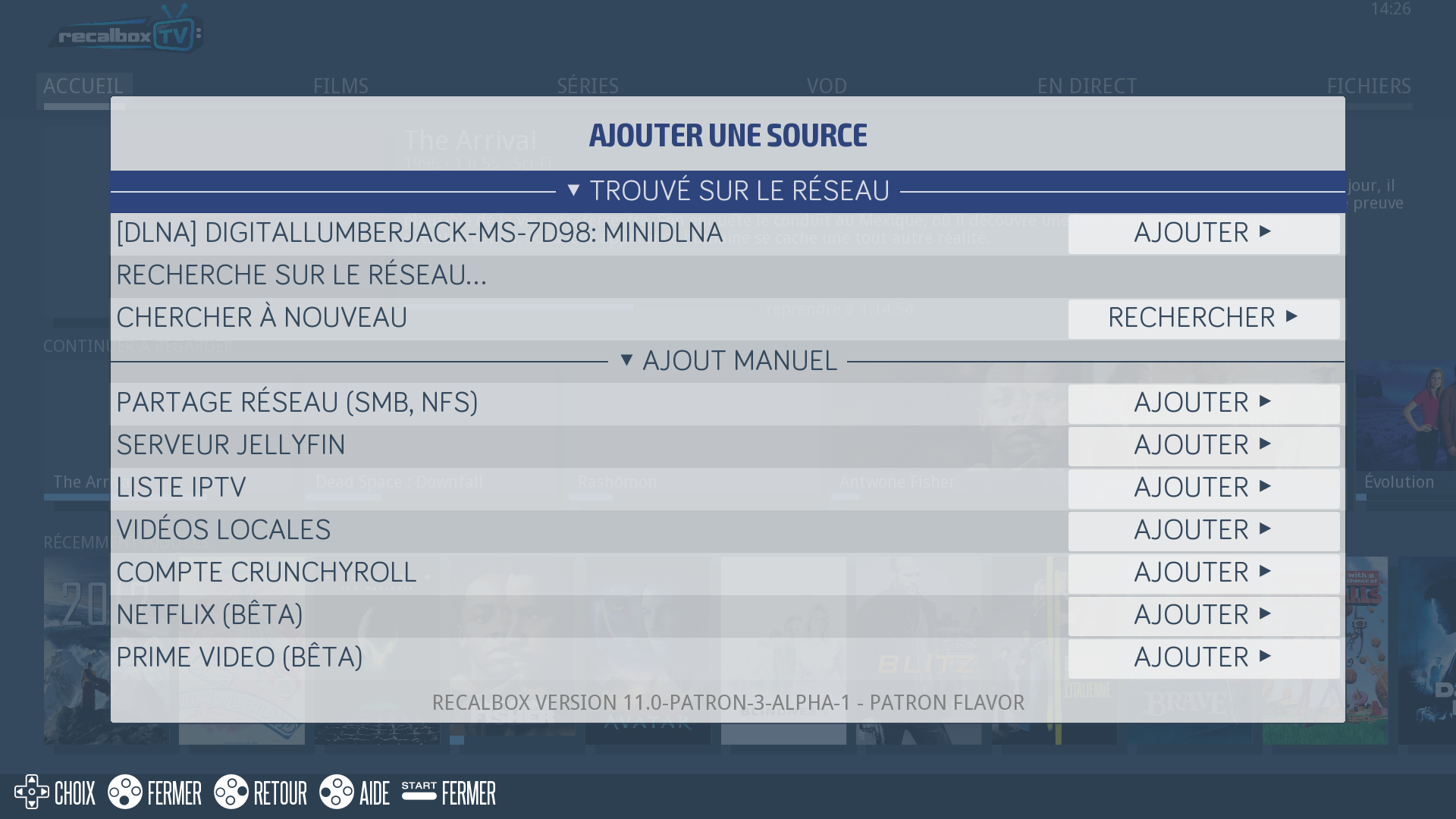
| Source | What it is |
|---|---|
NETWORK SHARE (SMB, NFS) |
A Windows share or an NFS export: the server and its account, then the share and the folder |
JELLYFIN SERVER |
A Jellyfin server, by its address |
IPTV PLAYLIST |
An M3U channel list, by its address or from a file of the share |
LOCAL VIDEOS |
The videos folder of your share, and the drives plugged into the Recalbox |
PLEX ACCOUNT |
A Plex account, to link |
CRUNCHYROLL ACCOUNT |
A Crunchyroll Premium account, to link |
TWITCH ACCOUNT |
A Twitch account, to link |
YOUTUBE ACCOUNT |
A YouTube account, to link: its subscriptions, liked videos and playlists join the VOD tab. Recalbox only reads the account |
NETFLIX (BETA) · PRIME VIDEO (BETA) |
A streaming site, played on its own website with your own account |
The menu grows shorter as you use it: an entry leaves once its source is added — LOCAL VIDEOS, the four accounts to link, each streaming site. You find it again under SOURCES, where a source is set and removed.
Media servers have no entry of their own: the DLNA/UPnP servers of your network (NAS, ISP box…) are declared under FOUND ON THE NETWORK, as are shares, Jellyfin servers and the channels of a Freebox, which comes in as a channel list with its guide.
Pluto TV is already there, with nothing to set up: its free channels and films fill the LIVE TV and VOD tabs from the first opening. It is turned off from its own source menu, with SOURCE ON.
A Jellyfin server is added by its name or IP address (port
8096is used when you give none). You sign in withQUICK CONNECT— a code to approve from a phone or a computer already signed in to that server — or with a user and its password, which is never kept on the Recalbox.
The live TV of a Freebox is recognised, with its programme guide. The Twitch channels you follow show while they stream, with their past broadcasts: on Raspberry Pi 5/500 straight away, and on Raspberry Pi 4/400, where the web view is still being tried out, once it is opened for the account. No other machine carries it. Streaming sites (Netflix and Prime Video, in beta) open the same way, account by account, and so does a YouTube account: they do not show until the team has opened them.
¶ Linking an account
Plex, Crunchyroll, Twitch and YouTube are linked without ever typing a password on the Recalbox: the screen shows a QR code and a code to type on a phone or a computer, and the account is linked. The code expires after a few minutes; NEW CODE asks for another.
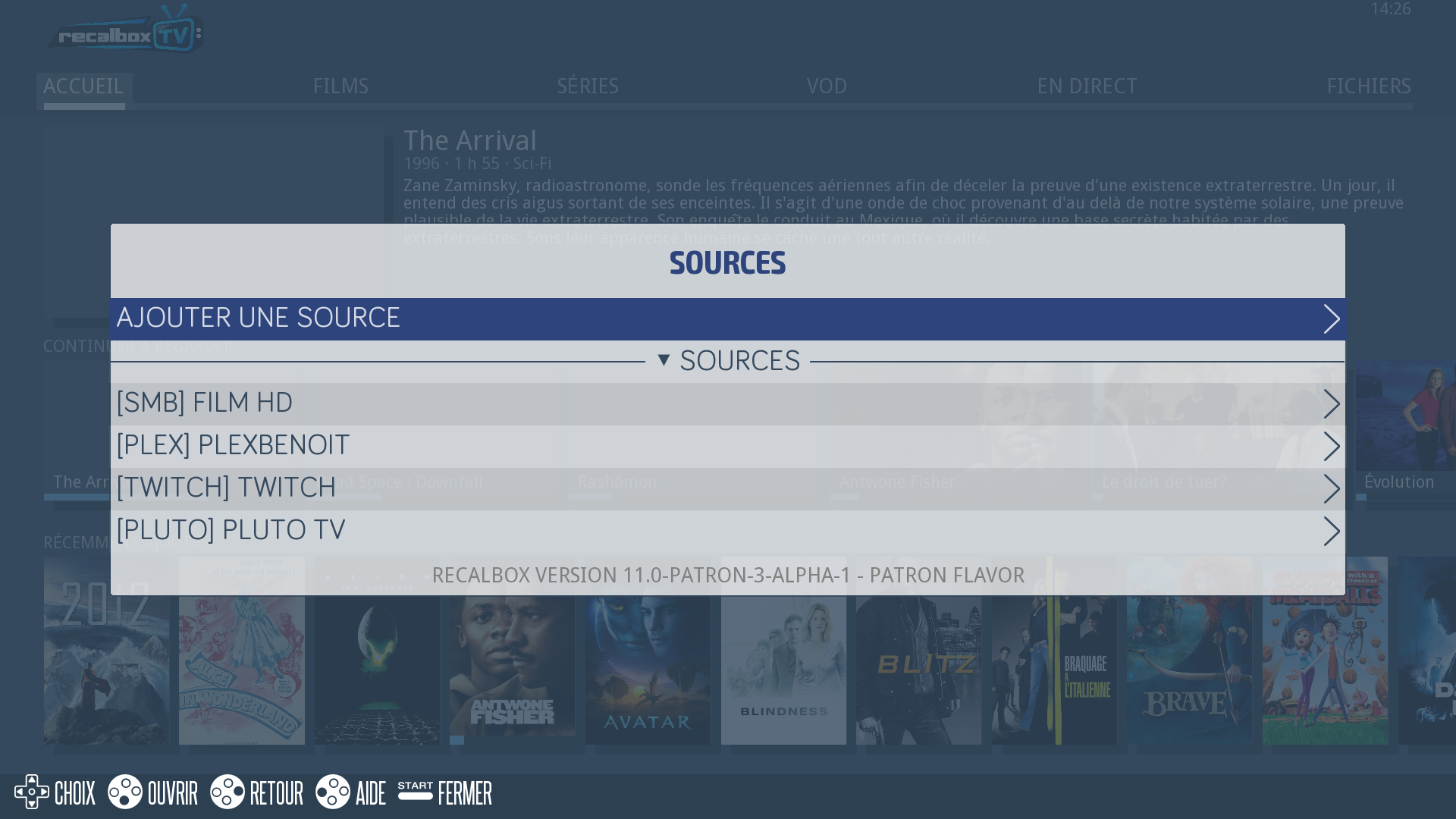
A linked account becomes a source, and is unlinked from START → SOURCES → the account → UNLINK.
¶ What each source lets you set
A source's menu follows what the source is:
| Setting | For which sources |
|---|---|
LIBRARIES |
Which of the server's libraries Recalbox TV reads |
CONTENT |
Sort everything the source holds as Films, as Series, or let the names decide |
ADD ITS FILMS AND SHOWS TO THE LIBRARY |
A drive or a share: its videos join the library, or stay in the FILES tab |
QUALITY |
Plex and Crunchyroll: the quality asked of the service |
EDIT |
A share or a server: its address and its account; an IPTV playlist: its playlist and its guide |
SIGN IN |
A streaming site: the account's e-mail, typed into the site's sign-in page |
NAMING THE VIDEOS |
A drive or a share: how Recalbox TV tells films from episodes |
REMOVE THIS SOURCE |
Its videos leave the library; where each was left is kept |
¶ Widevine: the protected videos
Crunchyroll, and some of Plex's free films, are protected: they play only with Widevine, Google's module, which is not part of the system.
START→SOURCES→ the source concerned.INSTALL WIDEVINE (DRM PLAYBACK).
The module is downloaded from Google's own servers — about twenty megabytes —, checked, then kept in the share's hidden system folder. TEST WIDEVINE then plays Google's test film: if it plays, this Recalbox can play protected videos.
Google does not offer Widevine for every board. When there is none for yours, Recalbox TV says so, and protected videos stay unplayable — the other sources are unaffected.
¶ Putting your videos on the Recalbox
Drop your files in the videos folder of your share, through the share network folder or on a USB stick, then add the LOCAL VIDEOS source.
¶ Naming your files well
The file's name is what finds the poster, the summary and the cast. Recalbox TV recalls these rules in START → NAMING THE VIDEOS.
Films
Title (Year):Gangs of New York (2002).mkv- Without the year too:
Gangs of New York.mkv— but the year helps find the right film. - With dots or dashes:
The.Matrix.1999.mkv,Gangs-of-New-York-2002.mkv - In several files:
The Matrix (1999) CD1.mkv,The Matrix (1999) CD2.mkv
Shows
- A folder per show, one per season:
MacGyver/Season 01/MacGyver S01E02.mkv - With dots or dashes:
MacGyver.S01E02.mkv,MacGyver-S01E02.mkv - Also read:
MacGyver 1x02.mkv - Two shows of one name:
Doctor Who (2005)/Season 01/Doctor Who S01E01.mkv— the year tells them apart. - Specials and pilots:
MacGyver S00E01.mkv
Folders
- Any video in a
filmsormoviesfolder, or in their subfolders, is taken as a film. - Any video in a
seriesortv showsfolder, or in their subfolders, is taken as an episode. - A video in the wrong place: the source's
CONTENToption sorts all the rest as Films or as Series.
The data comes from TMDB and TheTVDB.
¶ Formats played
.mkv .mp4 .m4v .avi .mov .webm .ts .m2ts .mts .mpg .mpeg .wmv .flv .ogv .3gp .vob
¶ While a video plays
| Button | What it does |
|---|---|
LEFT / RIGHT |
Back or forward 10 seconds |
L / R |
Back or forward 5 minutes |
L2 / R2 |
Previous or next chapter |
UP / DOWN |
Volume |
X |
The video's options |
Y |
The video's information |
¶ The video's options
X opens a panel with three tabs:
PICTURE— the framing (Whole picture,Zoomed,Stretched), the resolution and the playback speed;AUDIO— the audio track and its delay, in steps of 0.05 second;SUBTITLES— the track, its delay in steps of 0.1 second, and its size, from half to double.
These choices hold for the video being played; the menu's settings hold for every video.
¶ Resuming where you left off
A stopped video is offered for resuming past three minutes of playback, and as long as more than 8 % is left to watch. Past 90 %, it counts as watched and starts again from the beginning.
Videos under way show under CONTINUE WATCHING, on the home page; REMOVE takes one out.
At the end of an episode the next one follows, and after a season's last, the next season's first — unless you ask for something else with AT THE END OF AN EPISODE.
¶ Playing a video with a card
With a card reader, a card can play a video, just as it starts a game.
- Open the film's or the episode's page.
START→ASSOCIATE A CARD.- Present the card to the reader.
The tie is written on the card: it works on any Recalbox, not only yours. DISSOCIATE THE CARD erases it. A card already tied to a game or to another video is only replaced once confirmed.
The VHS card is the exception: it opens Recalbox TV without playing anything.
A card whose video can no longer be found — file deleted, drive unplugged, server off — says so on screen instead of playing something else.
¶ The settings
START → SETTINGS.
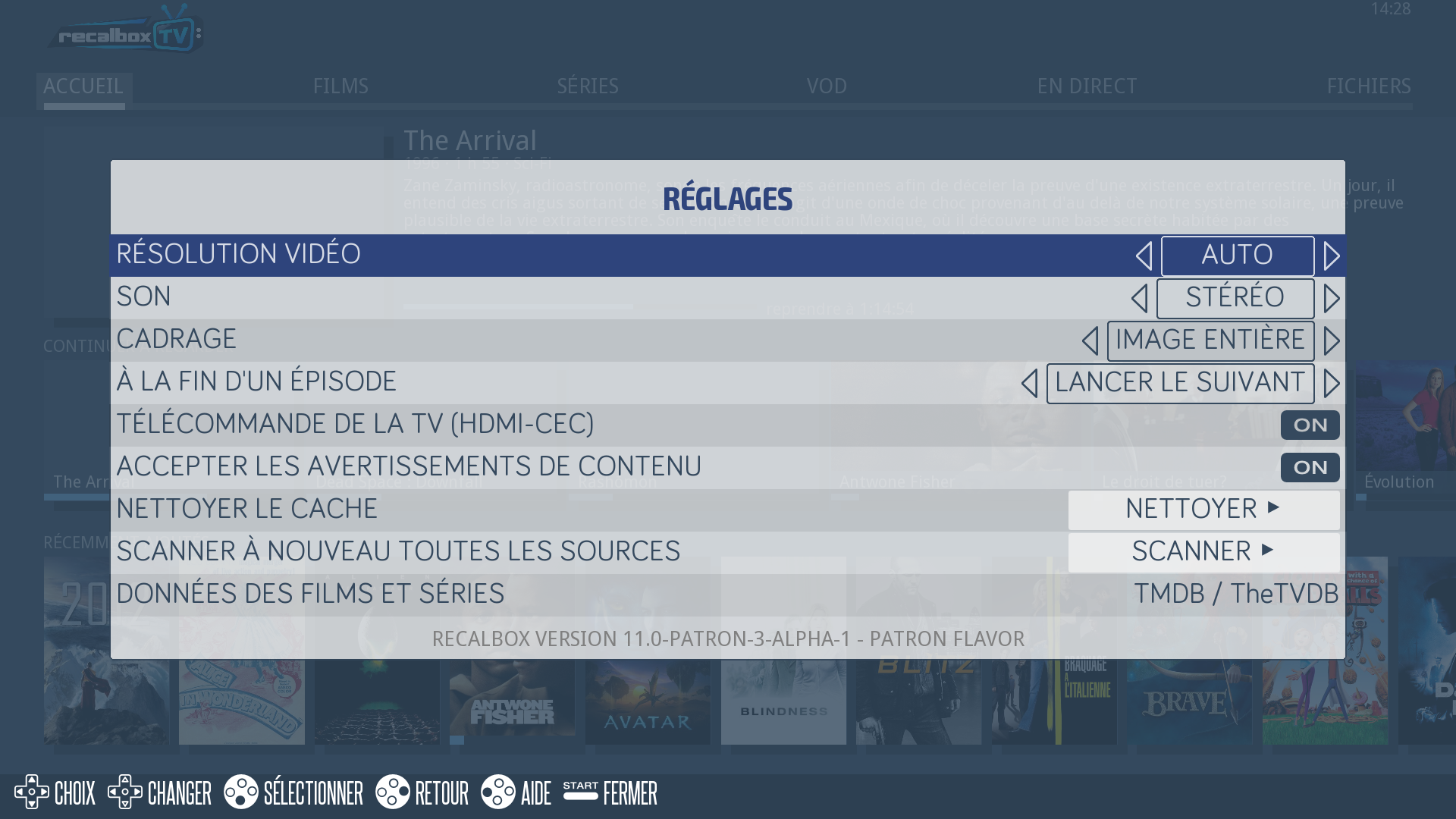
| Setting | Default | What it does |
|---|---|---|
VIDEO RESOLUTION |
Auto |
The playback resolution. On Auto, on a cathode screen, each video plays in the mode of its own lines |
24P FILMS AT 48 HZ |
off | A 24p film plays in the film mode the screen offers — 24, 48 or 72 Hz — at its own speed. The caption names the mode available |
CRT VIDEO FRAME |
— | Calibrate, mode by mode, what your cathode screen really shows |
SOUND |
Stereo |
Stereo mixes everything into two channels; Surround is for a receiver |
FRAMING |
Whole picture |
Whole picture, Zoomed or Stretched |
AT THE END OF AN EPISODE |
Play the next one |
Play the next one, Ask or Stop |
TV REMOTE (HDMI-CEC) |
on | Drive Recalbox with the television's remote |
ACCEPT CONTENT WARNINGS |
— | A Twitch stream marked for certain audiences starts without asking |
CLEAN THE CACHE |
— | Empties the posters and descriptions, then reads every source again. Where each video was left is kept |
SCAN EVERY SOURCE AGAIN |
— | Lists every source again. What a source no longer has is hidden until it comes back |
FILM AND SHOW DATA |
— | Where the posters and summaries come from: TMDB and TheTVDB |
¶ 📺 And on a cathode screen?
A CRT does not scale the picture: it shows fields, and that is where Recalbox TV is at its best. On
Auto, each video takes the mode that fits it — first by its rate (a 50 Hz mode for 25 frames a second, a 60 Hz one for 30), then by its lines: a 240p capture plays in 240p, a PAL DVD gets its 576i back, and a video finer than anything the screen can draw takes its tallest mode.Films run at 24 frames a second, which neither 50 nor 60 Hz divides: every other frame stays on screen longer than its neighbour, and pans judder. That is what
24P FILMSremoves, by holding every frame for exactly the same time — two fields at 48 Hz on a 15 kHz CRT with a Recalbox RGB Dual, three frames at 72 Hz on a PC screen, one frame at 24 Hz on a television that accepts it over HDMI. Recalbox TV takes 72 Hz when there is one, then 48, then 24 — but never at the cost of the picture: a 4K film does not drop into a 24 Hz mode a television only offers in 1080p.Something else you never set: Recalbox's RGB boards put out 18-bit colour, six bits a channel, where a video carries twenty-four. Recalbox TV notices by itself and dithers the picture to the board's exact depth — without which skies, fades to black and gradients would come out in bands. A screen on HDMI gets the picture as it is.
Finally,
CRT VIDEO FRAMEremembers, mode by mode, the four corners your screen really shows: enough to get back the subtitles that ran off the edge.
24P FILMSandCRT VIDEO FRAMEonly show when your screen offers what they set. A screen that cannot hold a film's rate rolls the picture: leave24P FILMSoff in that case.
¶ Searching
START → SEARCH finds a film or a show by any word of its title, story, cast or genres. From the MOVIES or SHOWS tabs, the search covers only them; from VOD, the service shown.
¶ Driving it with the television's remote
If your television handles HDMI-CEC, its remote drives Recalbox through the HDMI cable — arrows, OK, back — with nothing else to plug in. The setting is on by default. The Odroid Go 2 does not offer it: its kernel lacks what it takes.
¶ Turning Recalbox TV on and off
In the main menu, ADVANCED SETTINGS → RECALBOX TV:
ENABLE RECALBOX TV: turned off, it leaves the system list and no longer opens at startup;OPEN RECALBOX TV ON STARTUP: the Recalbox starts on the media centre.
The same switch is found under BOOT SETTINGS, named RECALBOX TV AT START.
¶ Where Recalbox TV keeps its data
| What | Where |
|---|---|
| The library | /recalbox/share/system/tv/library.db |
| Where each video was left | /recalbox/share/system/tv/playback.json |
| The posters and descriptions | /recalbox/share/system/tv/art |
| Widevine | /recalbox/share/system/.tv/widevine |
These files rebuild themselves: CLEAN THE CACHE is enough to start over without losing where each video was left.
¶ What about Kodi?
Kodi is no longer built into Recalbox 11.0. The pages about it stay online for the 10.x versions: